
Download zOMGies – free zombie‑escape Flash game, online run‑and‑shoot fun
Overview
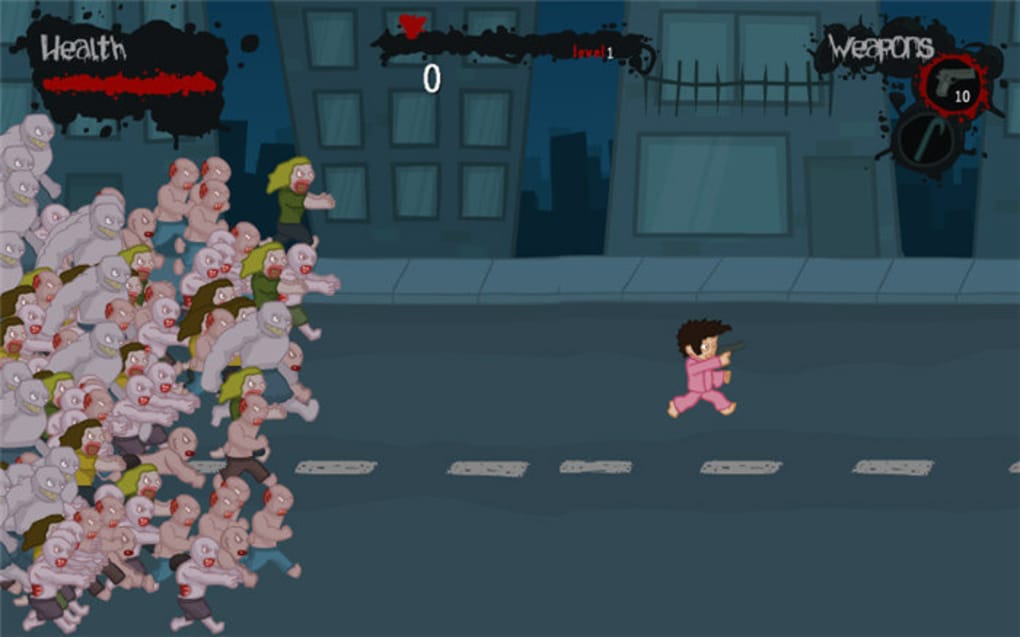
zOMGies throws you straight into a frantic, side‑scrolling nightmare where hordes of ravenous zombies chase you across chaotic city streets, abandoned warehouses, and dimly lit tunnels. The premise is simple yet addictive: use the arrow keys to sprint, duck, and jump while the mouse lets you aim and fire at the relentless undead. Each level is a race against time – reach the glowing marker before the zombie tide overwhelms you, and you’ll unlock the next, increasingly perilous stage.
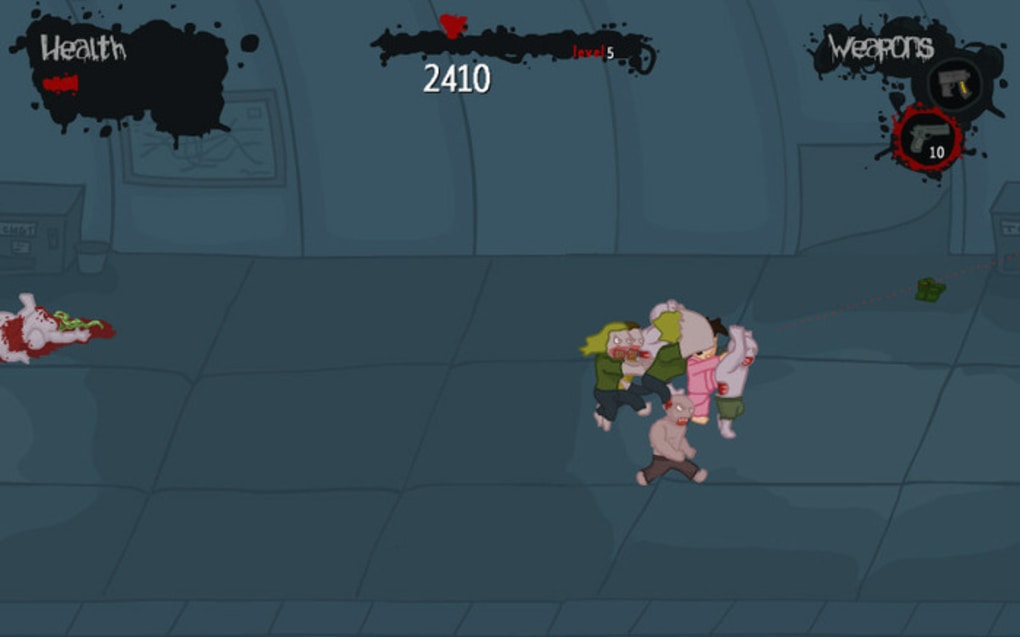
The game’s charm lies in its blend of classic arcade reflexes with modern “run‑and‑gun” mechanics. Even though the graphics are rooted in the Flash era, the sprite animations are surprisingly crisp, and the comedic gore – exploding heads, splattering blood, and over‑the‑top sound effects – adds a tongue‑in‑cheek flavor that keeps the tension light‑hearted. Power‑ups appear sporadically, granting you stronger weapons, faster reloads, or temporary shields, while new zombie types – armored brutes, fast‑moving sprinters, and hulking mutants – force you to adapt your strategy on the fly.
Although the core loop can feel repetitive after a few rounds, the escalating difficulty curve, random obstacle placement, and the ever‑changing zombie‑variety ensure that each play‑through feels fresh. For anyone seeking a quick, free distraction that doubles as a stress‑reliever, zOMGies delivers an entertaining burst of adrenaline without demanding a hefty download or a steep learning curve.
Key Features
- Fast‑paced side‑scroll action with keyboard‑controlled movement and mouse‑aimed shooting.
- Multiple weapon upgrades – from basic pistols to rapid‑fire machine guns and explosive launchers.
- Diverse zombie roster including standard walkers, speedsters, armored behemoths, and special boss foes.
- Dynamic level design with randomly generated obstacles that can be dodged or destroyed.
- Comedic blood and gore effects that enhance the horror atmosphere while staying light‑hearted.
- Catchy, eerie soundscape featuring shrieks, groans, and explosive weapon noises.
- Free to play directly in a web browser – no registration required.
- Simple controls suitable for both casual gamers and seasoned arcade fans.
- Progressive difficulty that scales with player skill, keeping the challenge engaging.
- Responsive design that adapts to different screen sizes, making it playable on desktop and mobile browsers.
Installation & Usage Instructions
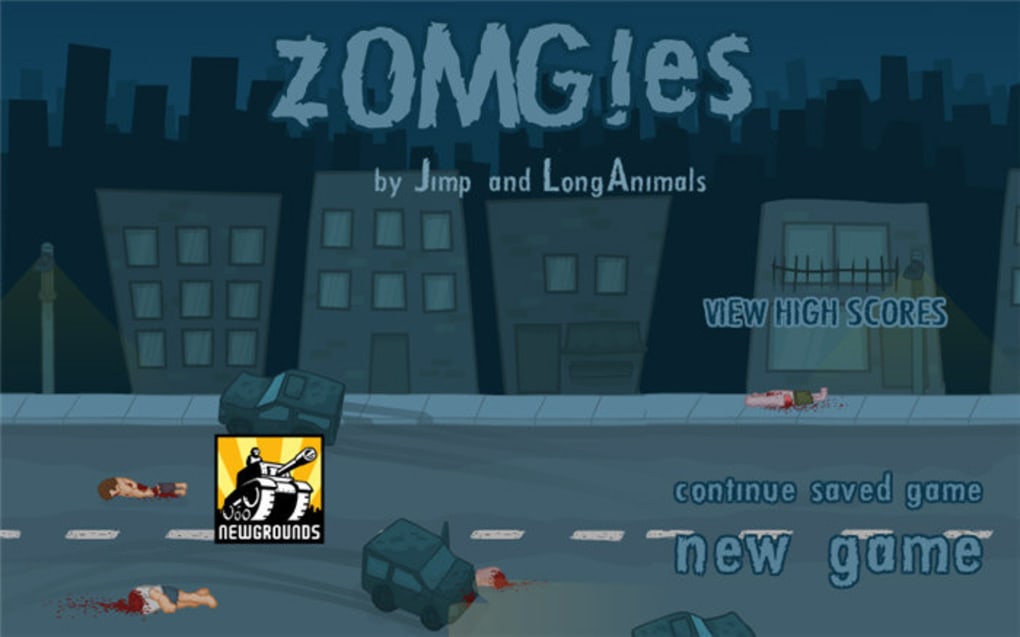
Because zOMGies is built on Adobe Flash technology, the traditional installation process is minimal. First, ensure that your web browser supports Flash content or has an active Flash emulator like Ruffle. Modern browsers have phased out native Flash support, so we recommend using the free, open‑source Ruffle extension for Chrome, Firefox, or Edge. Once installed, navigate to the official zOMGies game page and click the “Play Now” button. The game will load within the embedded Flash player, and you’ll be greeted by the title screen featuring the iconic zombie silhouette and a bold “Press Start” prompt.
To begin playing, press the Enter key or click the start button with your mouse. Use the arrow keys to move left, right, jump, and crouch. The space bar can be used for quick dashes when the power‑up appears.
Aim your weapon by moving the mouse cursor; left‑click fires the currently equipped gun, while right‑click can be assigned to a secondary weapon or a special ability, depending on the power‑up you’ve collected. Collect glowing icons along the path to increase your score and unlock new weapon tiers. When you encounter a barricade, you have two options: either jump over it using the up arrow or shoot it for an instant explosion that also damages nearby zombies.
Keep an eye on the health bar at the top left – if it depletes, the game ends and you must restart the level. The game automatically saves your progress after each completed stage, allowing you to resume where you left off on a later session.
For mobile users, the same controls are mapped to on‑screen touch buttons that appear once the game detects a smaller viewport. Tap the left side of the screen to move, swipe up to jump, and tap the right side to aim and shoot. The touch interface mirrors the desktop experience closely, ensuring you can enjoy the same frantic zombie‑run whether you’re on a laptop, tablet, or smartphone.
Compatibility
zOMGies was originally designed for the Adobe Flash Player, which means it runs on any operating system that can host a modern web browser with Flash support or an emulator. The most common environments include:
- Windows 7, 8, 10, and 11: Use Chrome, Firefox, Edge, or Internet Explorer with the Ruffle extension installed.
- macOS Catalina, Big Sur, Monterey, and Ventura: Safari, Chrome, or Firefox paired with Ruffle work flawlessly.
- Linux distributions (Ubuntu, Fedora, Debian, etc.): Any Chromium‑based browser supporting the Ruffle plugin can run the game without issues.
- Android 8.0+: Mobile browsers such as Chrome or Firefox can play the game when the Ruffle WebAssembly version is enabled.
- iOS 13+: Safari and Chrome on iPhone/iPad can handle the game via the same Ruffle WebAssembly implementation, though performance may vary on older devices.
Pros and Cons
Pros
- Free to play with no hidden fees or subscription.
- Fast, responsive controls that are easy to learn.
- Varied zombie types and weapon upgrades keep gameplay fresh.
- Comedic gore and sound design add personality without being overly graphic.
- Works on multiple operating systems via browser or emulator.
Cons
- Relies on Flash technology, requiring an emulator for modern browsers.
- Graphics are dated compared to contemporary HTML5 games.
- Limited storyline – focuses solely on endless run‑and‑shoot action.
- Replay value may diminish after mastering all levels.
- No official mobile app; mobile play depends on browser compatibility.
Frequently Asked Questions
Do I need to download anything to play zOMGies?
No separate installer is required. The game runs directly in your web browser. You only need a Flash emulator like Ruffle if your browser no longer supports native Flash.
Is zOMGies safe to play on public computers?
Yes. The game is hosted on a reputable site and does not request personal data. Using a trusted emulator ensures no malicious code is executed.
Can I play zOMGies on a mobile device?
Absolutely. Modern mobile browsers support the Ruffle WebAssembly version, which lets you control the game with on‑screen touch buttons.
What are the system requirements?
A recent web browser (Chrome, Firefox, Edge, Safari) and an internet connection. For the best experience, use a device with at least 2 GB RAM and a graphics chip that supports HTML5 canvas rendering.
Is there a way to save my progress?
The game automatically stores your level completion in local browser storage, so you can close the tab and return later without losing progress.
Conclusion & Call to Action
zOMGies may not boast cutting‑edge graphics or a deep narrative, but it excels at delivering pure, adrenaline‑pumping arcade fun that’s instantly accessible. Its free‑to‑play model, simple controls, and relentless zombie hordes make it an ideal pick‑me‑up for anyone needing a quick gaming break or a nostalgic flash‑era experience. If you’re looking for a stress‑relieving, fast‑paced shooter that you can jump into from any device, give zOMGies a try today.
Simply visit the official site, enable the Ruffle emulator if needed, and start running for your life. Remember: the undead never stop coming, so the sooner you download (or rather, launch) zOMGies, the longer you’ll stay ahead of the apocalypse. Happy hunting!



.png)



